
Jobs & scheduling
The right engineer, at the right time, with the right ticket.
Callouts become jobs in one click. Plan the week by drag and drop, or let the AI Scheduler suggest an accredited engineer for every unassigned job, and explain exactly why.
Callouts → jobs
A fault comes in. A job goes out.
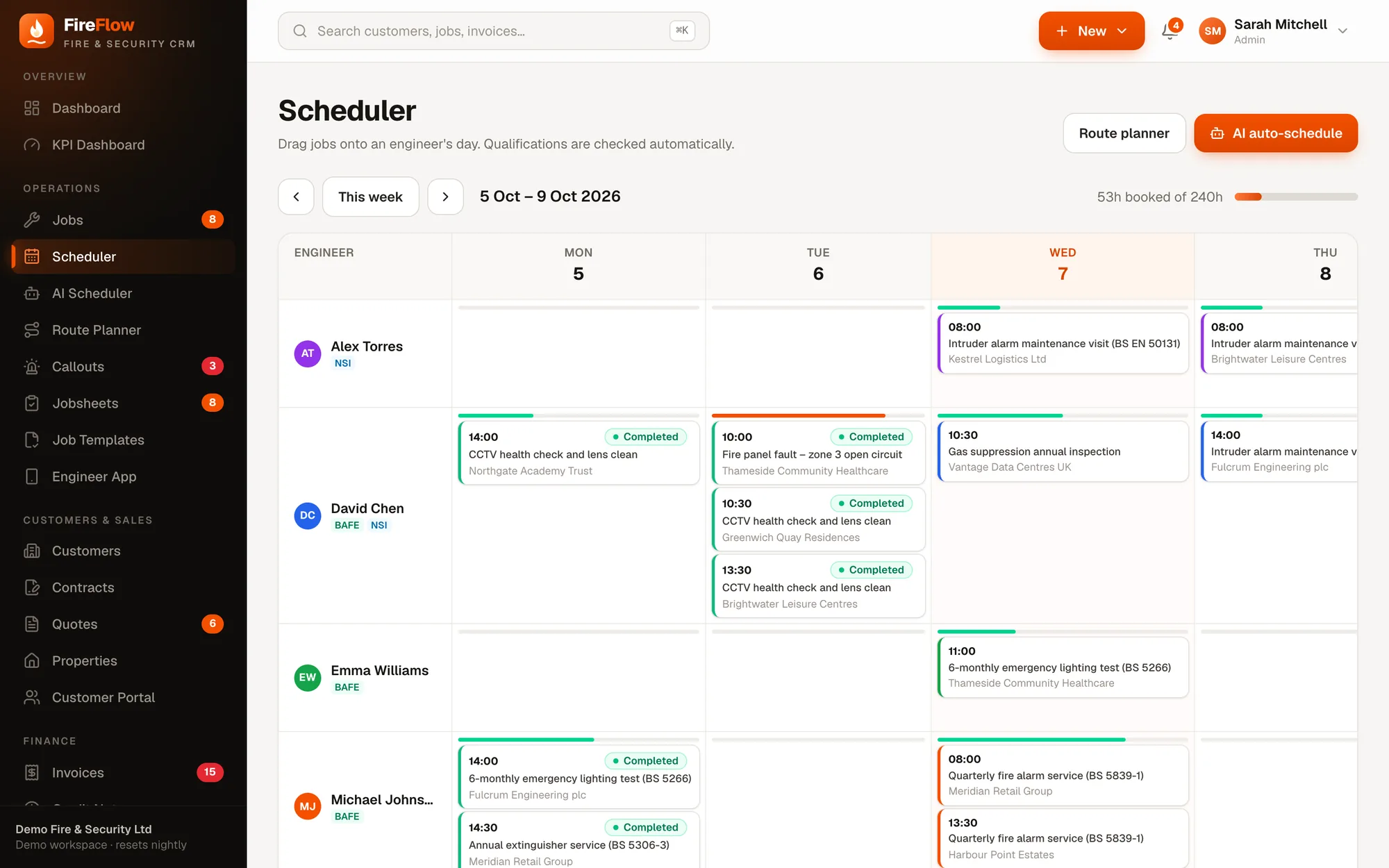
Callouts arrive from the office or straight from the customer portal. Open one and the Create job panel is already filled in. Hover the numbers to see how.
- 1Priority carried overWhatever the caller reported becomes the job's priority.
- 2Site picked for youFireFlow pre-selects the site when it can, and links the active contract so its SLA is tracked.
- 3"Suggest for me"Leave the engineer blank and you land in the AI Scheduler with just this job selected.
- 4One click to createOr pick an engineer and time yourself. FireFlow refuses anyone without the BAFE or NSI qualification the job needs.
- 5Status looks after itselfThe callout shows Dispatched with its job number, then Resolved when the engineer completes the jobsheet.
AI Scheduler
Every unassigned job, matched in seconds.
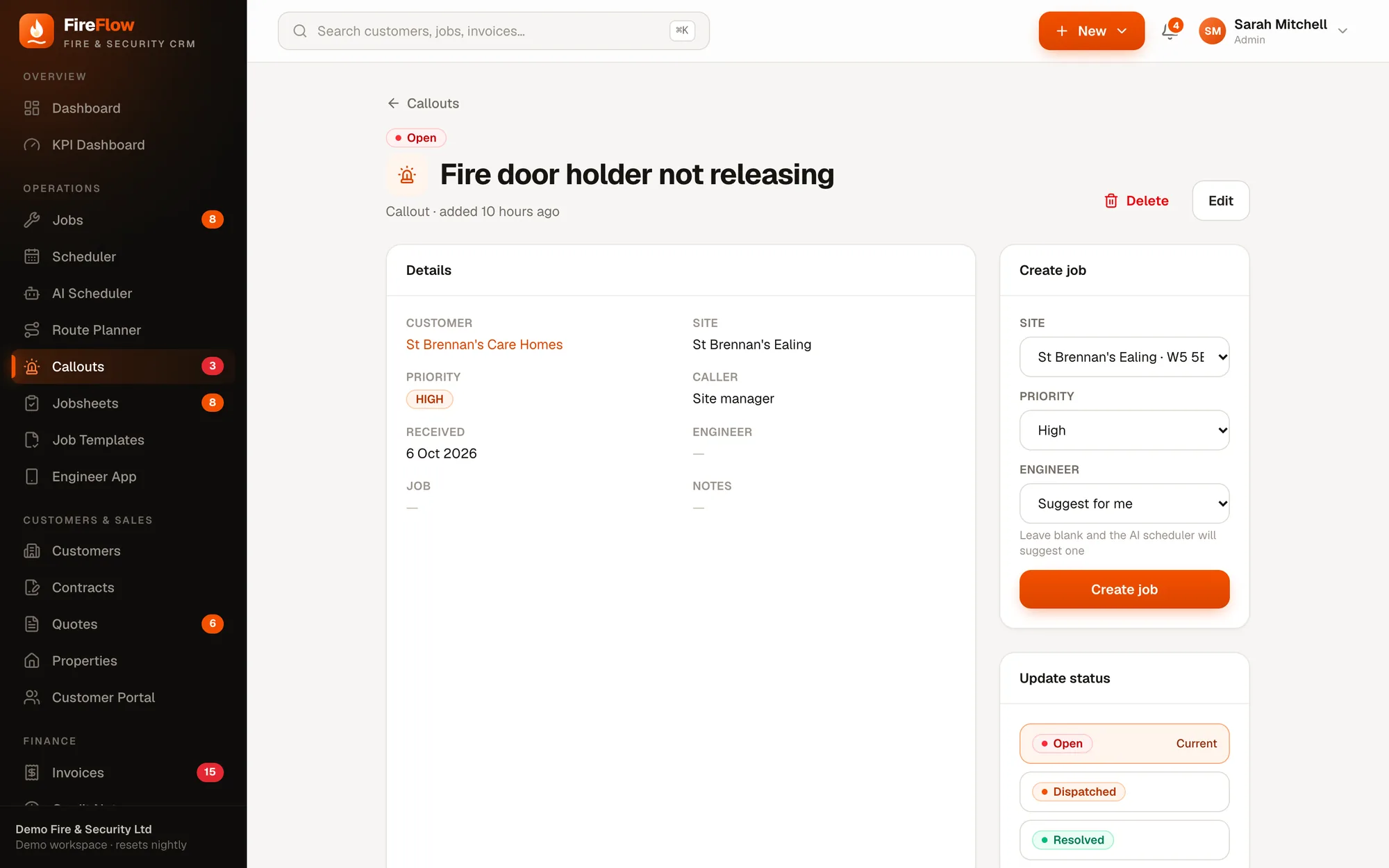
The AI Scheduler looks at every job waiting for an engineer and suggests the best person and slot. It weighs accreditation, free capacity, travel from that day's other jobs, priority and the contract's SLA.
- 1You stay in controlUntick anything you don't want. Nothing is booked until you press Apply.
- 2At-a-glance summaryJobs waiting, how many can be placed, engineers considered and average confidence.
- 3The job and what it needsPriority, BAFE or NSI requirement, site and duration.
- 4Plain-English reasonsQualified for the work, already nearby that day, free hours, within SLA.
- 5Confidence scoreHow strong the match is, so you know which to check.
- 6Who else was consideredHandy when you know something the system doesn't.
Try it
Pick a job and see the reasoning.
Real suggestions from FireFlow's demo workspace.
Weekly scheduler
The whole team's week on one board.
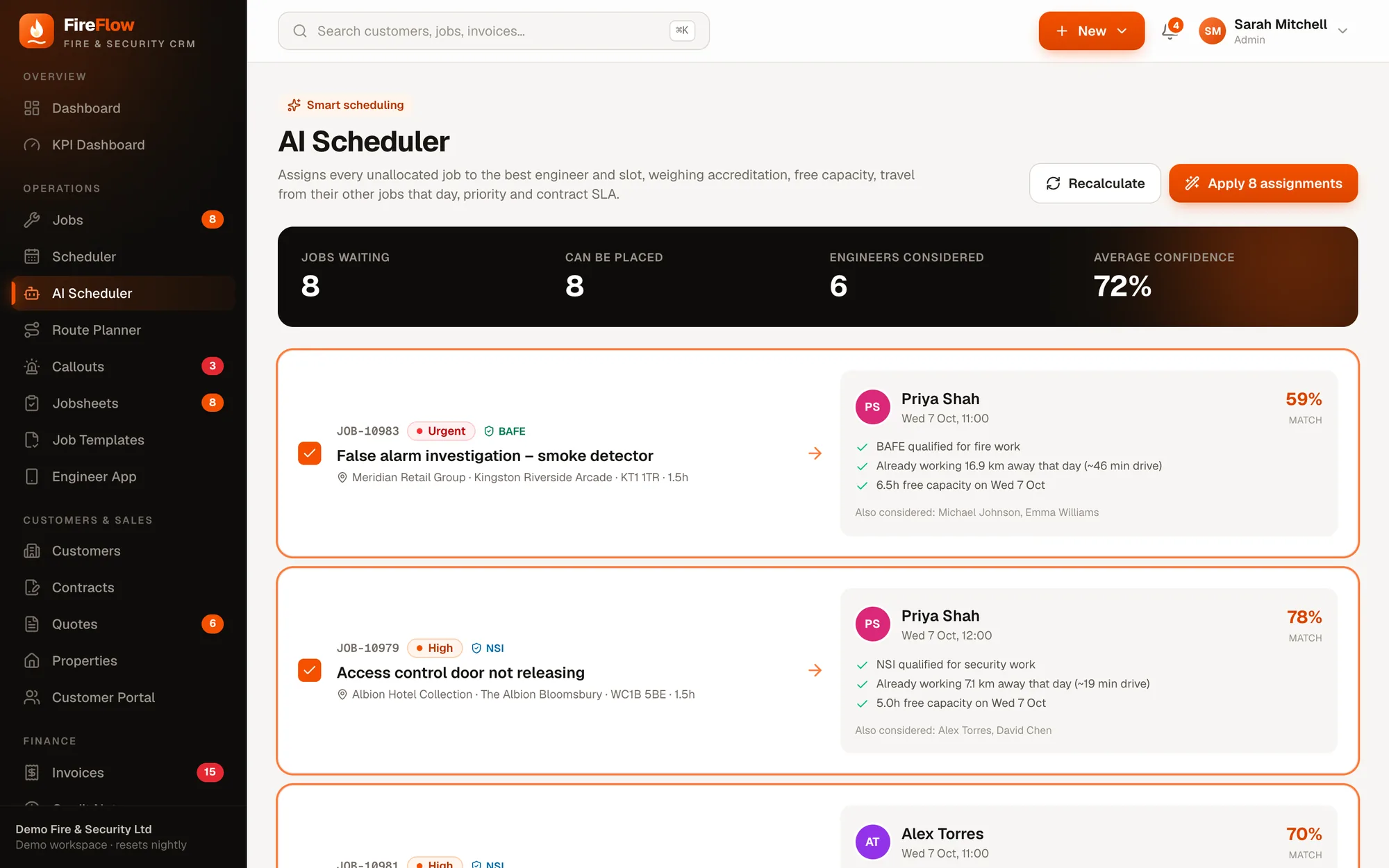
See every engineer's week side by side, with their BAFE and NSI badges beside their name. Drag a job onto an engineer and time slot to book it. Qualifications are checked automatically.
- Booked hours against capacity for the week
- Completed, scheduled and in-progress jobs colour-coded
- One click to the AI Scheduler or Route Planner
- On a tablet, open the job and set the engineer and time there
Route Planner
Less driving, more jobs done.
Pick an engineer and a day, and the Route Planner reorders their visits for the shortest drive, starting and ending at home base. Visits already started or completed stay where they are.
- Current route against optimised route
- Map of the day with the new visit order
- Apply the new order with one click
Job tracking
Every job tells its own story.
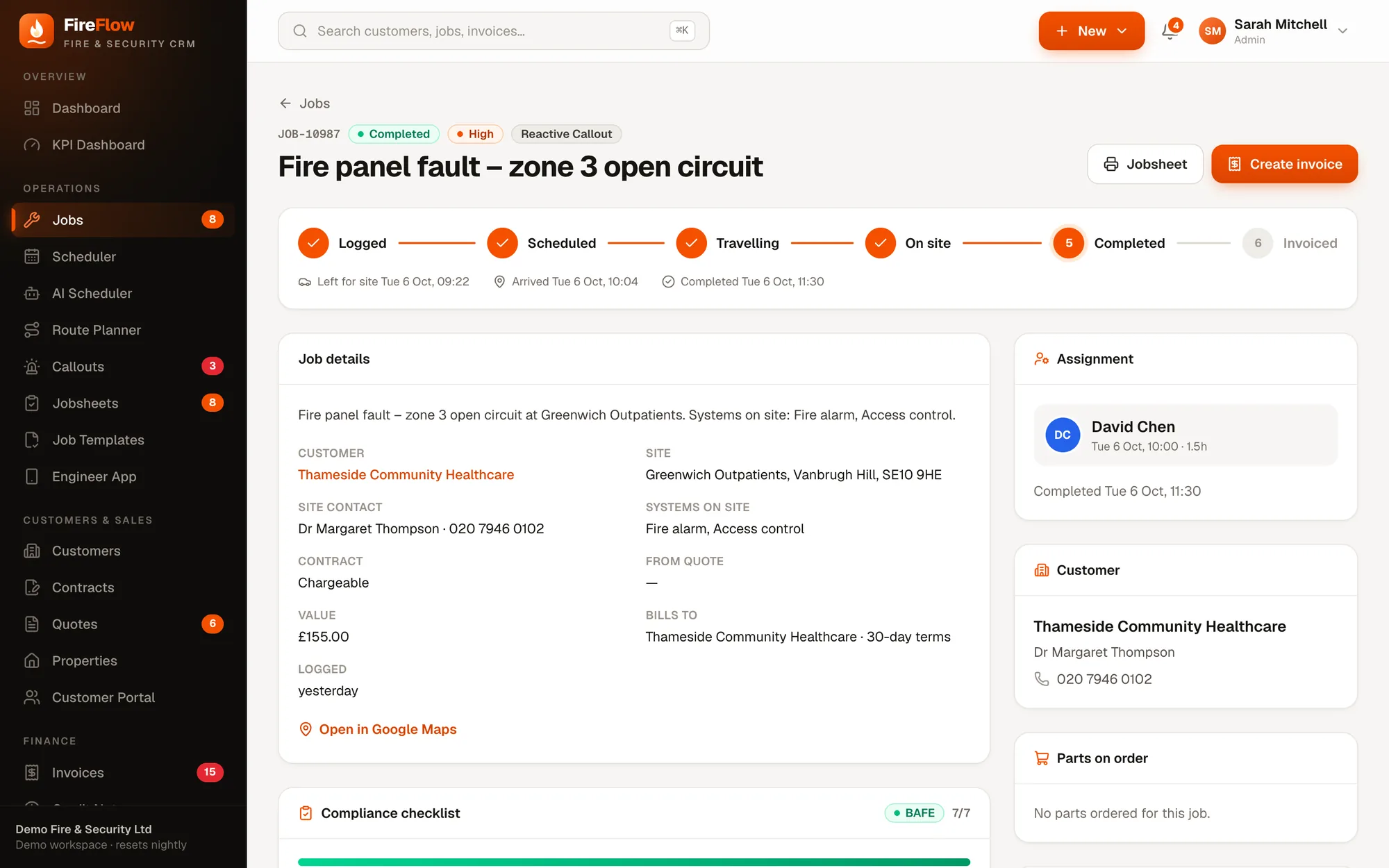
Service visits, installations, reactive callouts and remedials all follow the same clear path, from logged to invoiced.
- 1Where it's up toLogged, scheduled, travelling, on site, completed, invoiced.
- 2Real timestampsWhen the engineer left, arrived and finished.
- 3Who did itThe assigned engineer and the slot they were booked for.
- 4Who gets the billWorked out from the contract, site and customer.
- 5Compliance checklistBAFE or NSI items, ticked off on site.
- 6Straight to invoiceOne click once the work is done.
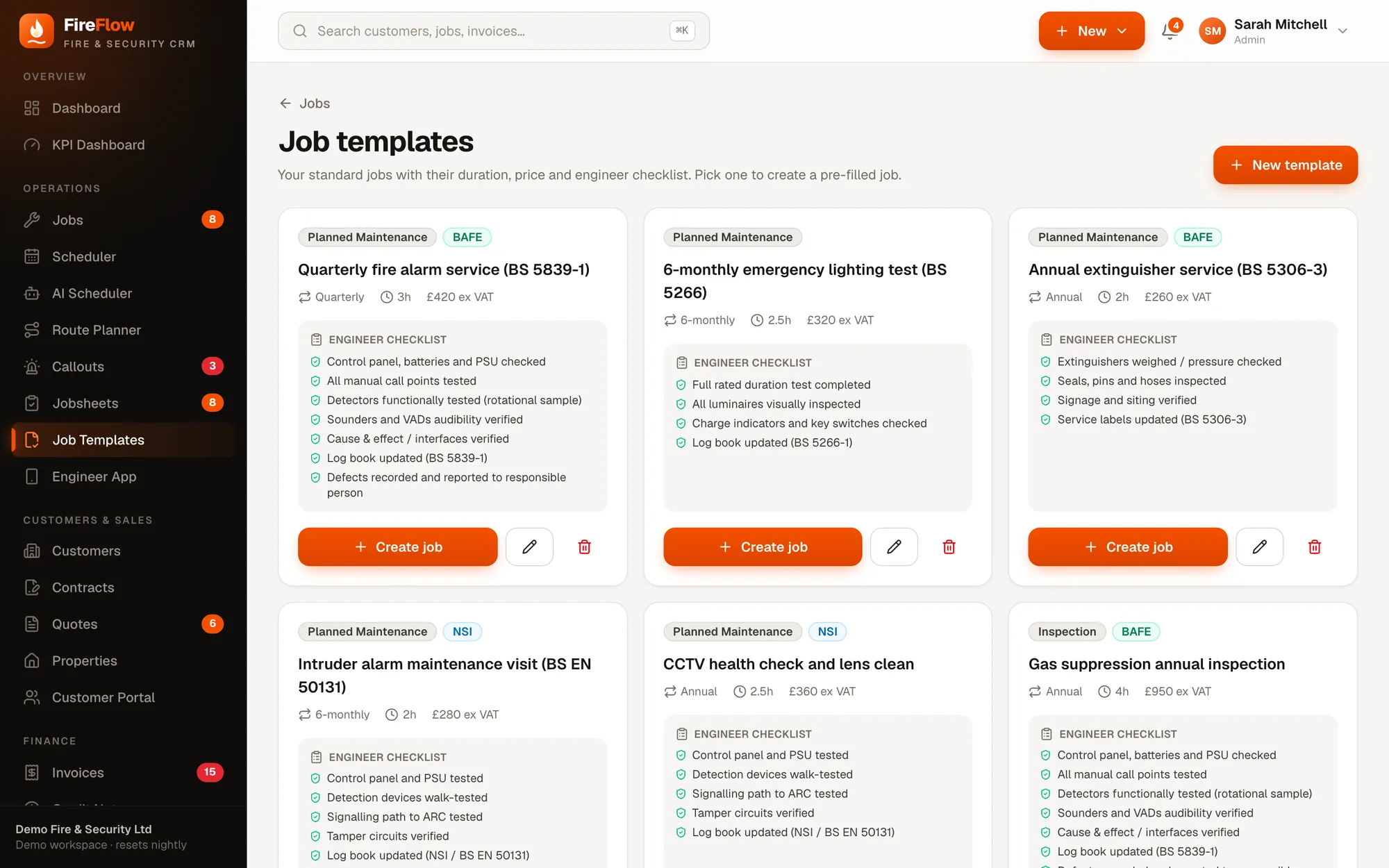
Job templates
Your standard jobs, ready in one click.
Quarterly fire alarm service, 6-monthly emergency lighting test, annual extinguisher service, intruder maintenance visit. Save each with its duration, price, frequency and engineer checklist, then create a pre-filled job from it.
- BAFE and NSI requirements set on the template
- Engineer checklist travels with the job
- Jobs list with Open, Unassigned, Scheduled, On site and On hold views, as a list or board
Also in scheduling
The details that save the office time.
Accreditation checks
Jobs can require BAFE or NSI. Only qualified engineers can be booked on them.
SLA tracking
Contract response times follow the job, and arrival is recorded against them.
Unassigned badge
The menu shows how many jobs are waiting for an engineer, so nothing sits unnoticed.
Search everything
Press ⌘K to jump to any customer, job or invoice.
Site details on hand
Contacts, systems on site and a Google Maps link on every job.
Parts on order
Purchase orders raised for a job show on the job, so you know when it can go ahead.
See it on your own work
Bring a real job. We'll run it through FireFlow live.
A 20–30 minute walkthrough shaped around your company: your callouts, your contracts, your engineers. Then we'll talk about what it would look like for you.