
Customers, contracts & billing
Twenty sites. Four payers. Zero invoicing headaches.
Customers have many sites and contracts, and often more than one company paying. FireFlow knows who pays for what, charges the right rate, and won't let you invoice a planned visit twice.
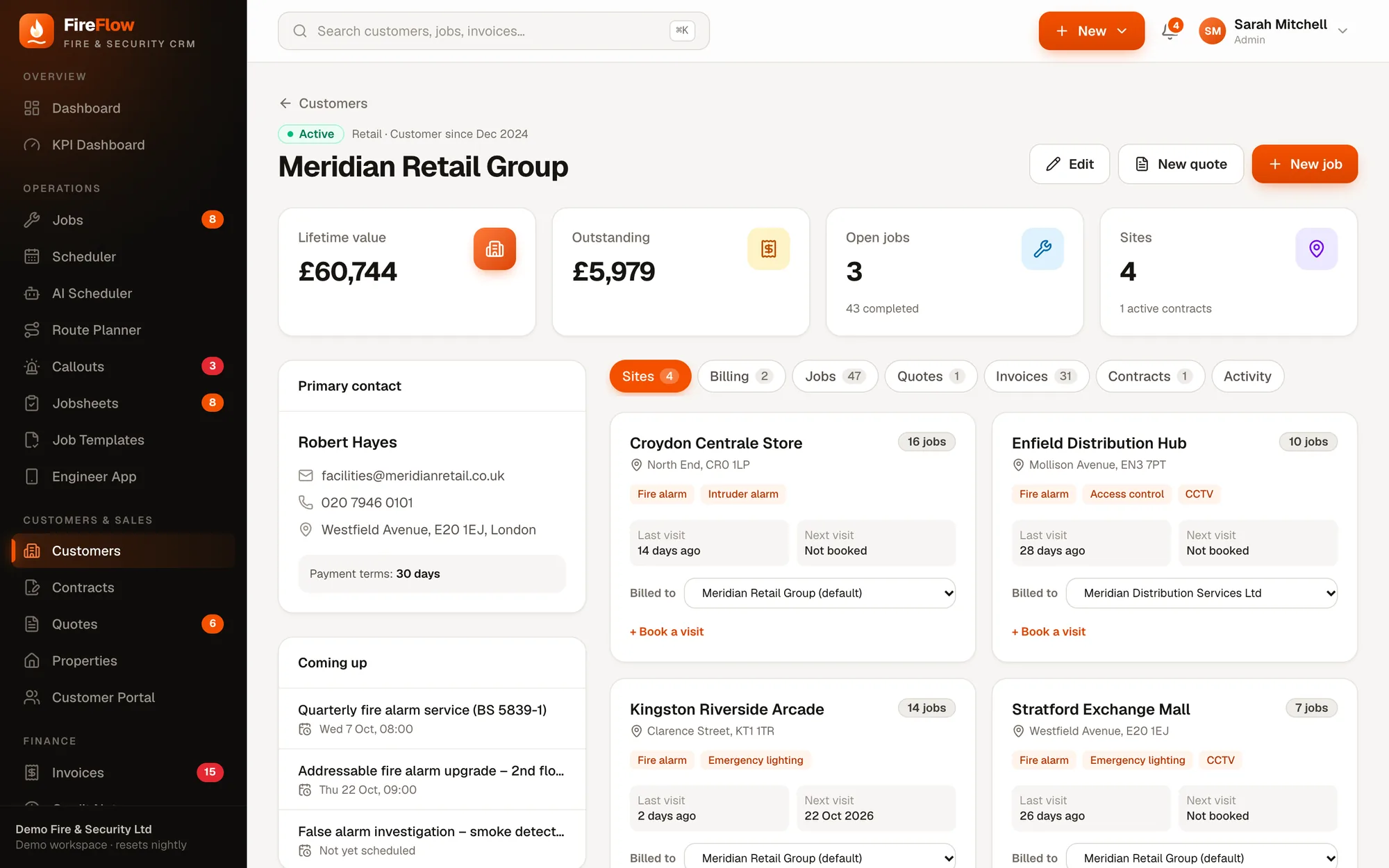
Separate payers
One customer. As many billing accounts as they need.
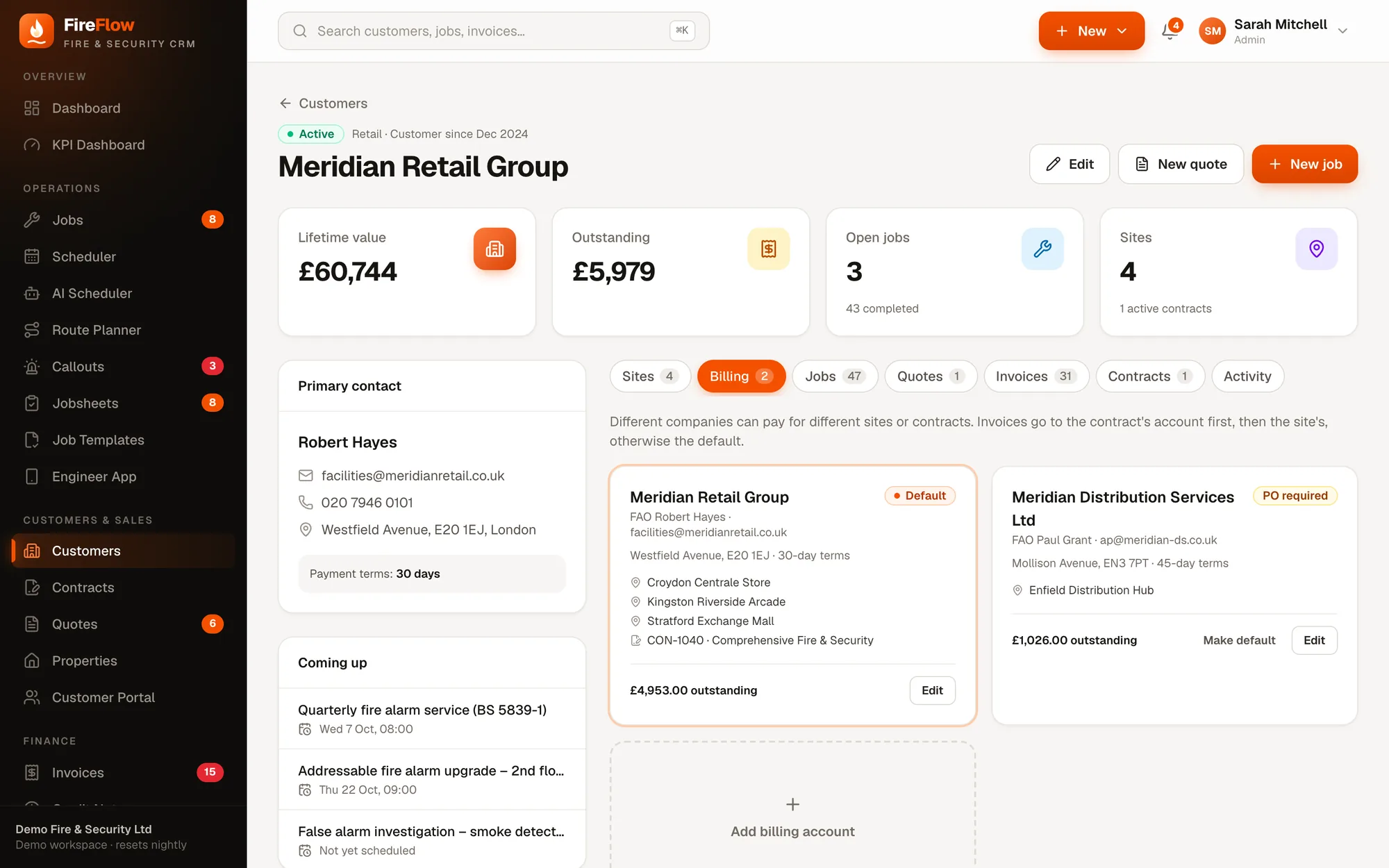
A retail group's head office pays for most sites. Its distribution arm pays for the warehouse, and needs a PO number. A franchisee pays for their own store. Set it up once on the Billing tab.
- 1Billing tabEvery company that pays, on the customer's page.
- 2A default accountUsed when no site or contract says otherwise.
- 3PO requiredFireFlow won't send their invoice until a PO number is entered.
- 4Sites and contracts it pays forAssign whole sites or specific contracts.
- 5Its own terms and balancePayment terms, invoice email and outstanding amount per account.
- 6Add anotherAs many billing accounts as the group needs.
Try it
Who pays for this callout?
FireFlow checks three places, in order. Change the job and watch it work out the payer.
The job
The Enfield Distribution Hub is paid for by a separate company that needs a PO number, as in FireFlow's demo data.
FireFlow checks, in order
Contracts & SLAs
Contracts that run themselves.
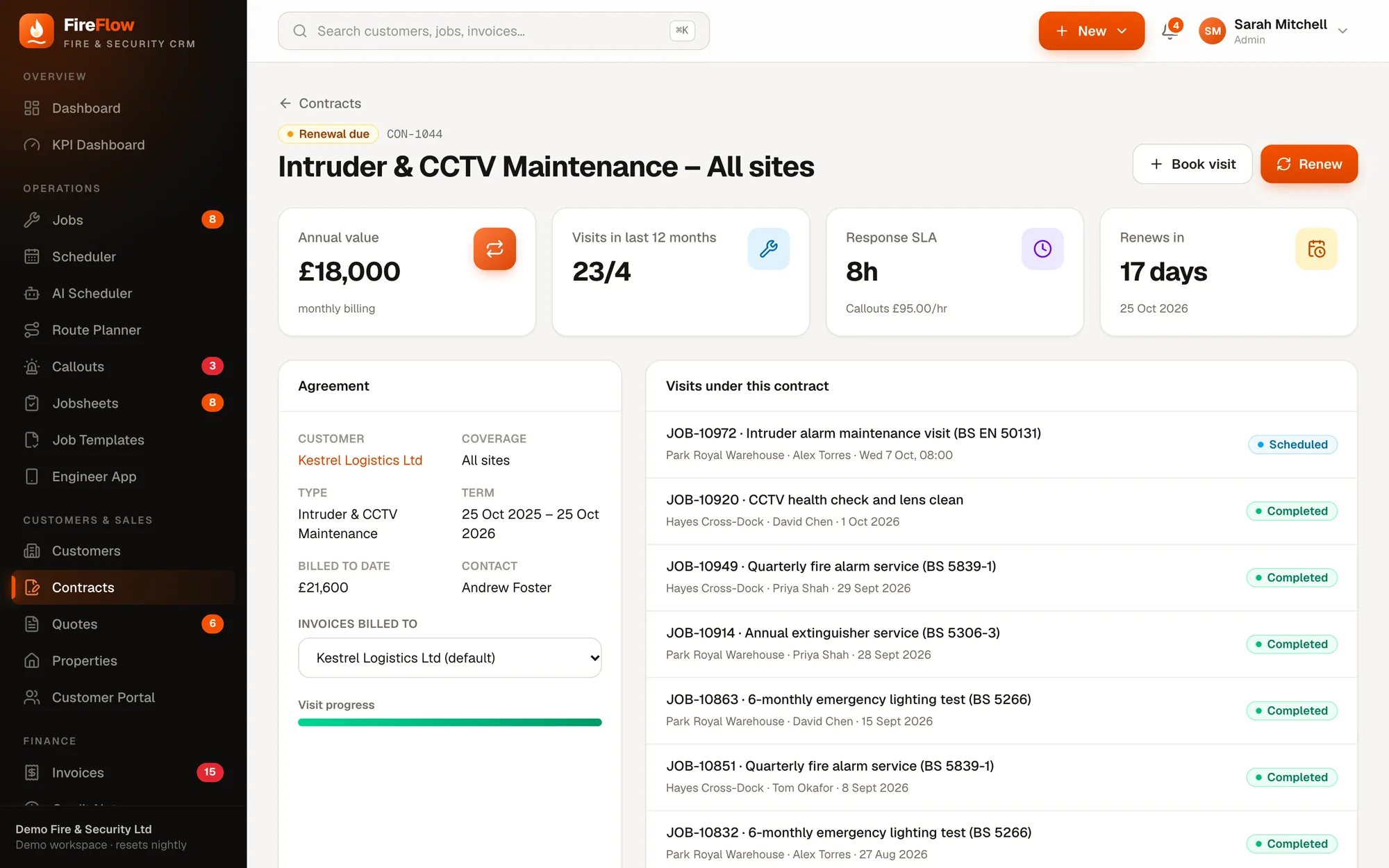
Each contract sets the sites it covers, visit frequency, value, SLA response time, callout rate and who it bills.
- 1Visits deliveredVisits in the last 12 months against what the contract promises.
- 2Response SLA and callout rateTracked on every reactive job under the contract.
- 3Renewal countdownSee what's due, then Renew to roll into a new term.
- 4Every visit, listedScheduled and completed jobs under this contract.
- 5Billed to the right accountChoose which billing account the contract's invoices go to.
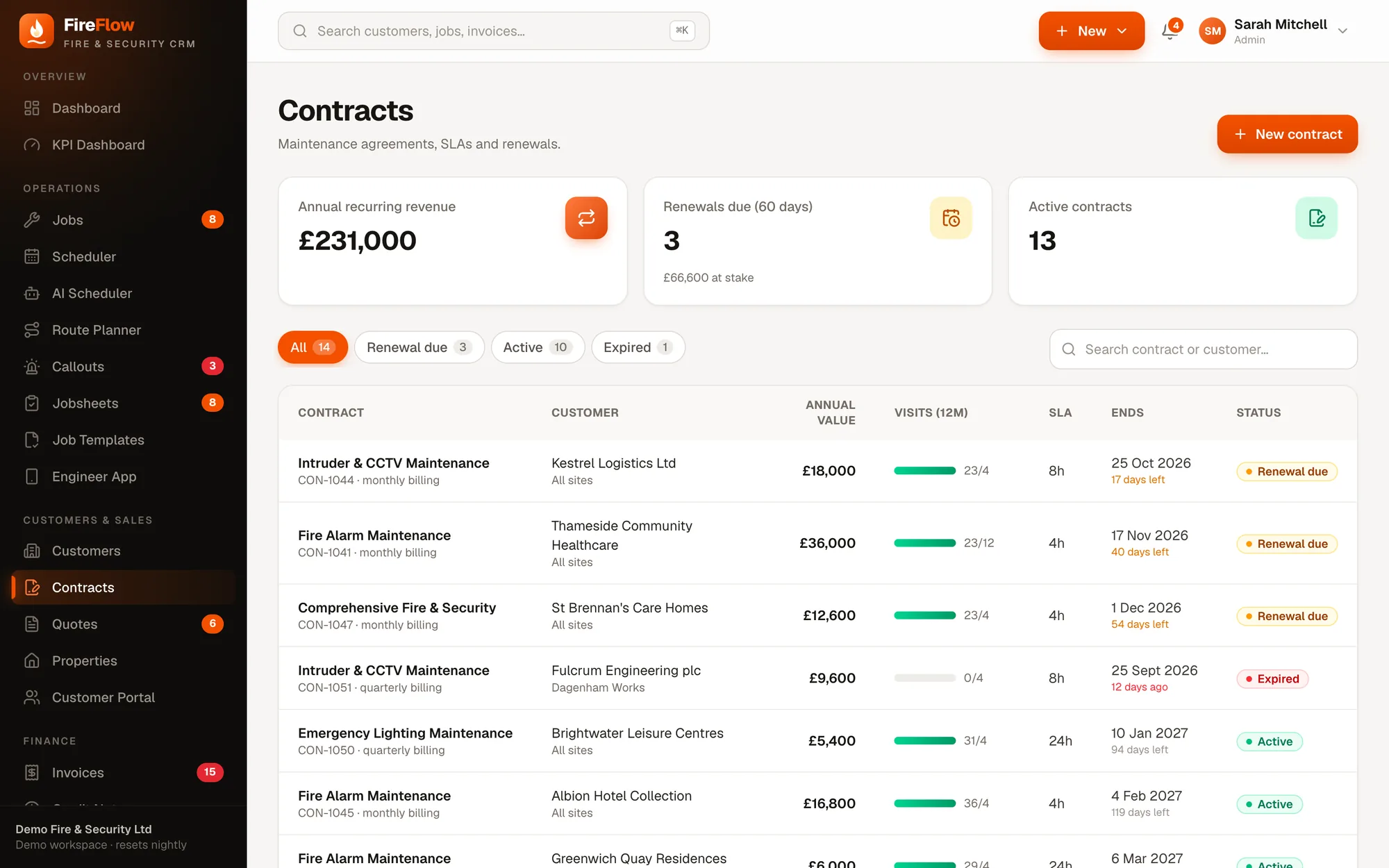
Annual recurring revenue at a glance
The contracts list shows total recurring revenue, renewals due in the next 60 days and the value at stake, plus each contract's visit progress and SLA.
Quotes
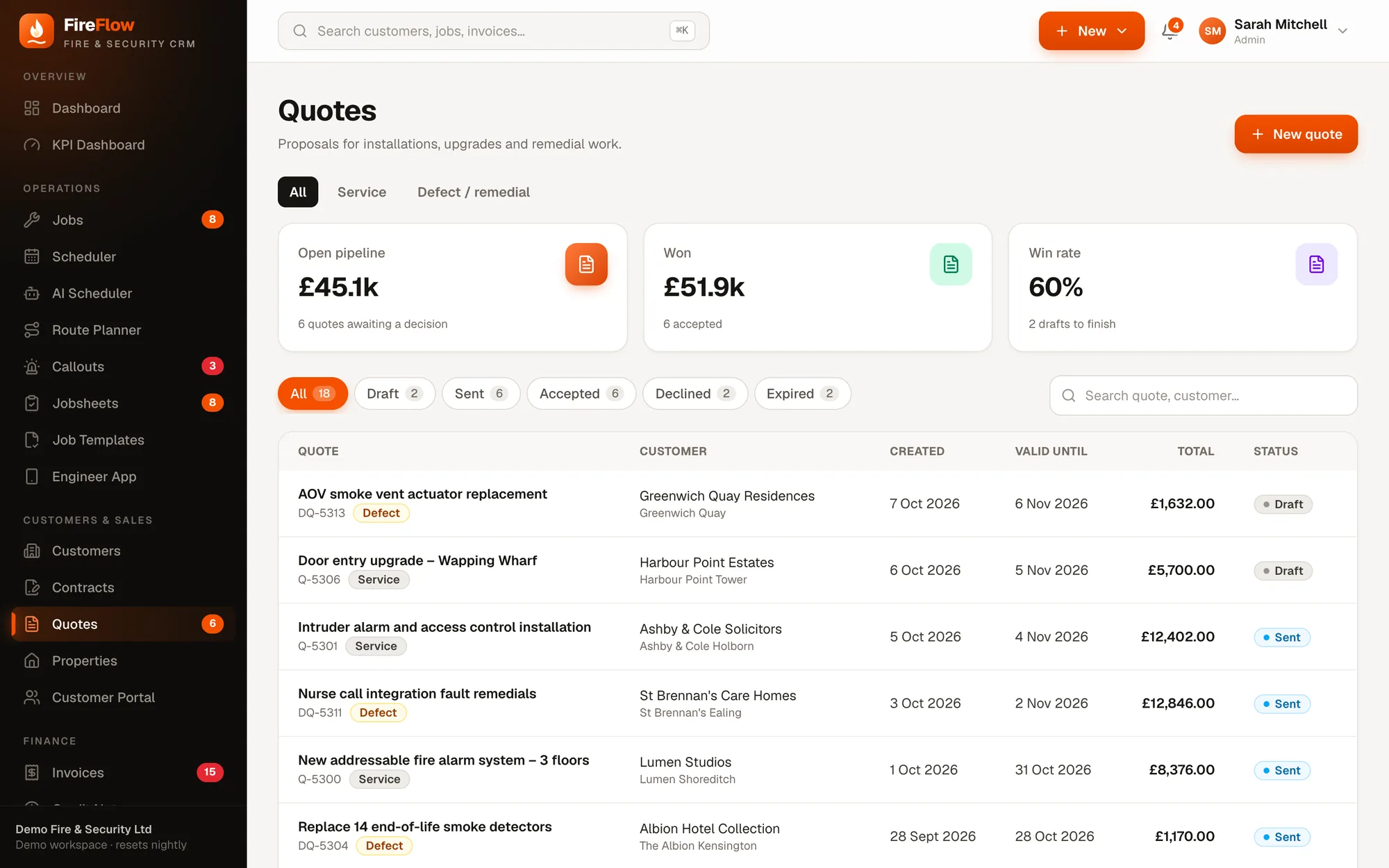
From quote to booked job in one click.
Service quotes for maintenance contracts, defect and remedial quotes for faults found on site, and installation quotes for new systems. Pick lines from your price list.
- Accept & create job turns it into a job ready to schedule
- A prospect becomes an active customer when they accept
- Remedial quotes drafted automatically from engineers' recommendations
- Pipeline, win rate and value won on the quotes list
Invoices
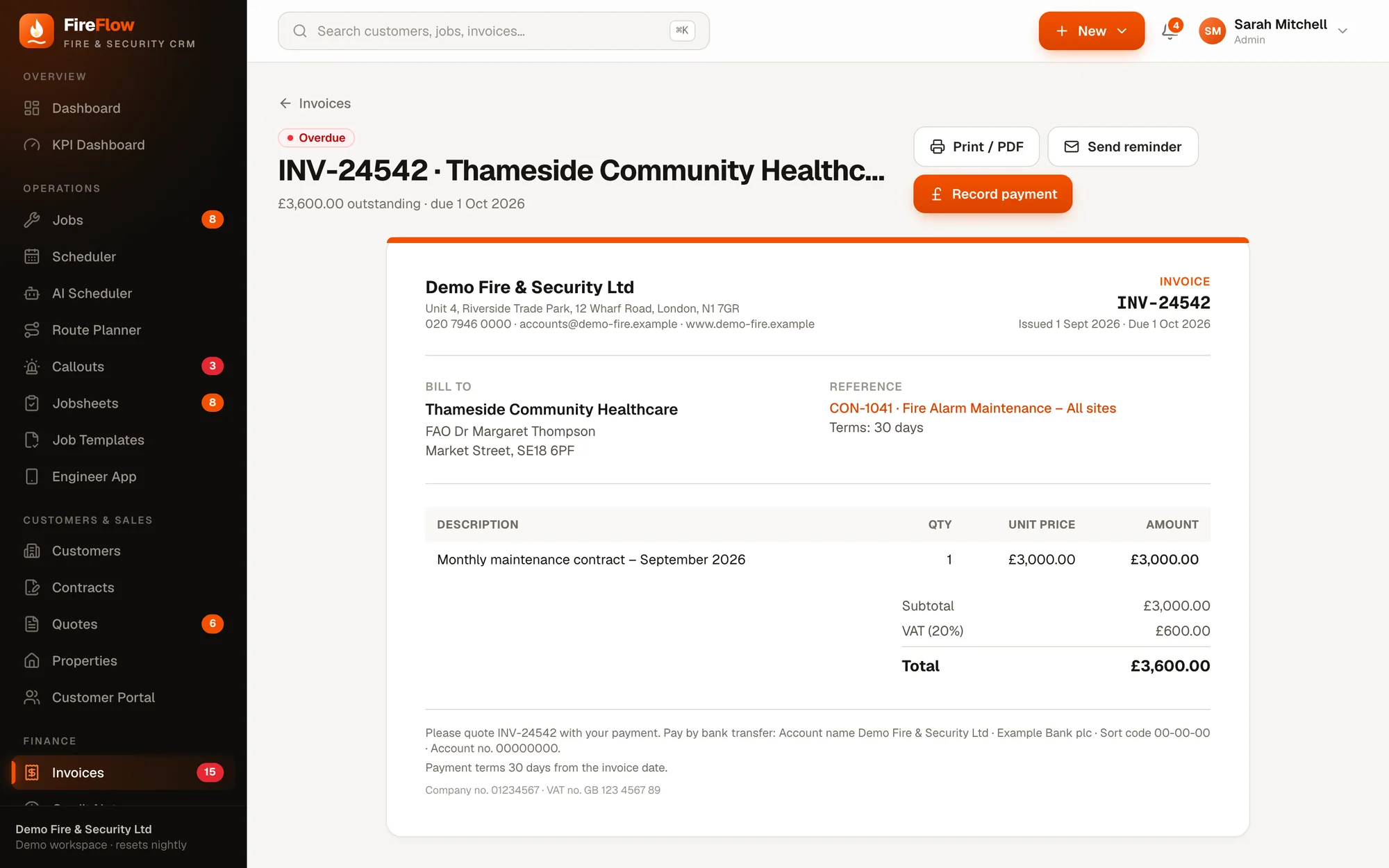
Get paid for every visit, and never twice.
Create an invoice from a completed job in one click, or raise one by hand. FireFlow knows what the contract already covers.
- 1Overdue, automaticallyFlagged from the payment terms, with reminders a click away.
- 2Part paymentsRecord what's been paid and track the balance.
- 3Billed to the right payerFrom the contract, site or customer, with their terms.
- 4Linked to the contractContract billing and callouts at the contract's callout rate.
- 5Ready to printA clean invoice in your company's name, with payment details.
No double billing
Planned contract visits are already covered, so FireFlow won't invoice them again.
Credit notes
Raise credit notes against invoices when something needs correcting.
Price list
Products and labour rates as quick-add lines on quotes and invoices.
Customer portal
Give customers their own window into the service.
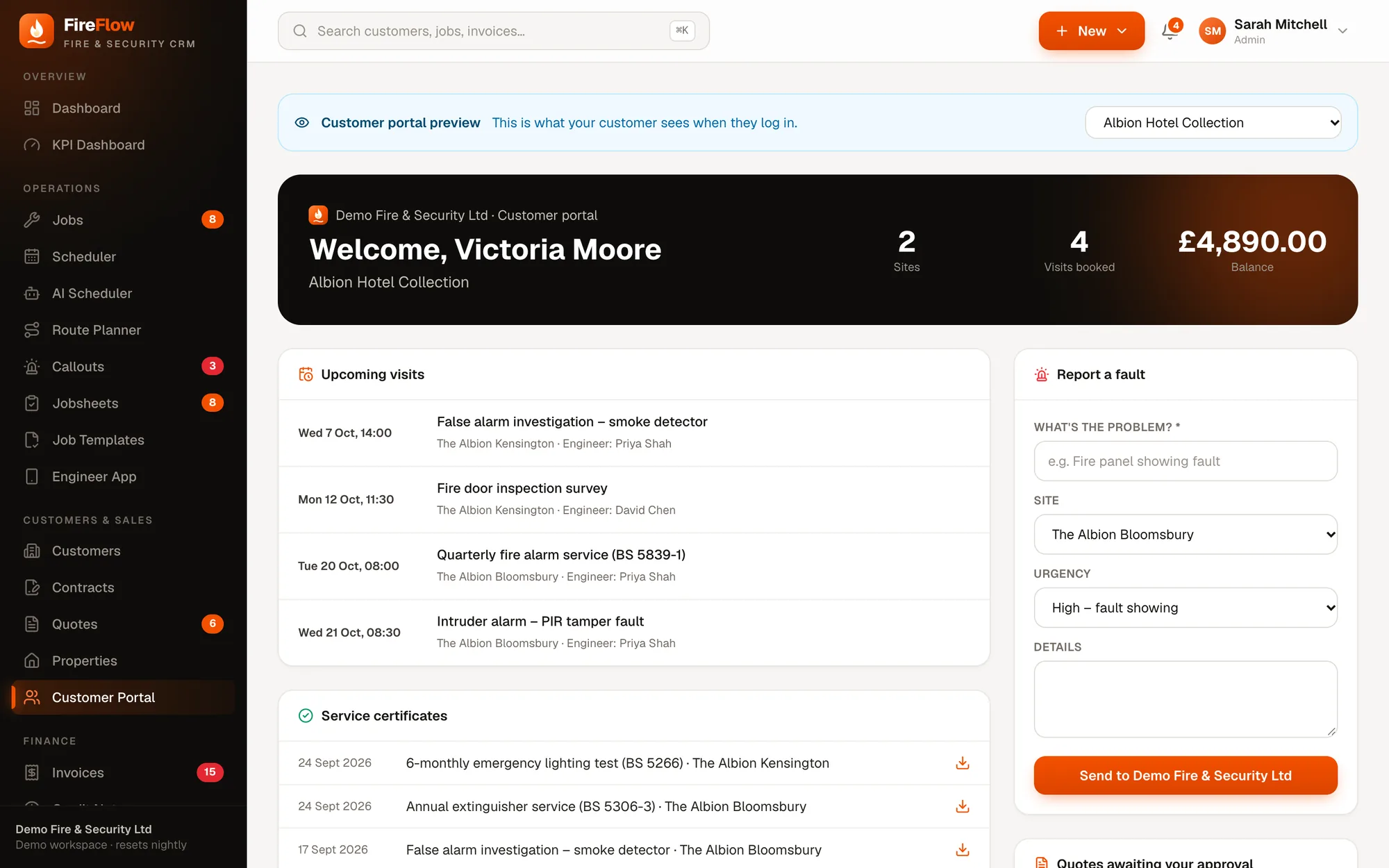
Customers sign in to see what's coming, download their certificates and report faults themselves. Faults they report arrive in the office as open callouts.
- 1Preview as any customerSee exactly what each customer sees when they log in.
- 2Upcoming visitsDate, job and engineer for every booked visit.
- 3Report a faultProblem, site and urgency, sent straight to your callouts.
- 4Service certificatesEvery certificate, ready to download.
See it on your own work
Bring a real job. We'll run it through FireFlow live.
A 20–30 minute walkthrough shaped around your company: your callouts, your contracts, your engineers. Then we'll talk about what it would look like for you.